< Blog HomeKollaborate Transcription Workflow Overhaul
We've rolled out a significantly overhauled transcription workflow on the cloud version of Kollaborate. Instead of being language-based, it is now track-based.
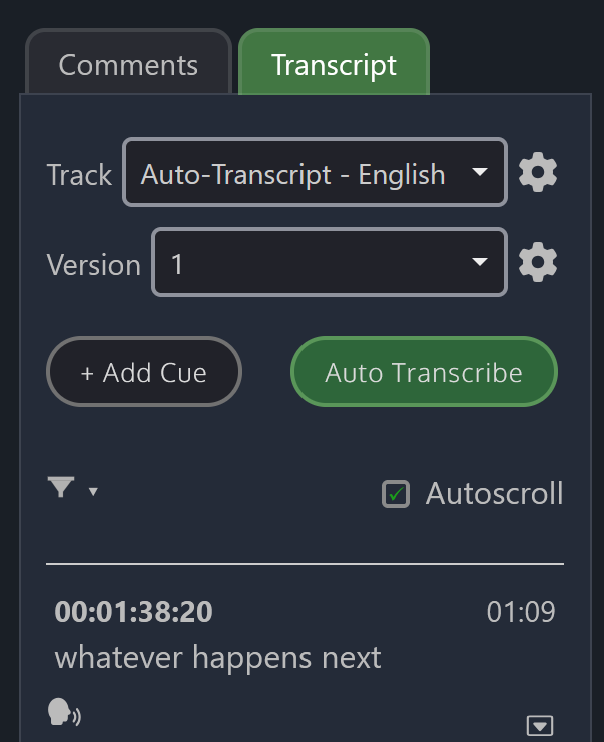

Tracks
An unlimited number of tracks can be created and multiple tracks can have the same language, so for example you could have multiple English language tracks for different purposes, such as captions for audio mixes with/without profanity.
Versions
Each track can have an unlimited number of versions so you don't lose older work. Using the Auto Transcribe feature creates a new version automatically so that it doesn't overwrite anything.
Tracks and versions can be easily duplicated. For example, you could copy the cue timing from an existing language and then convert the text to a different language.
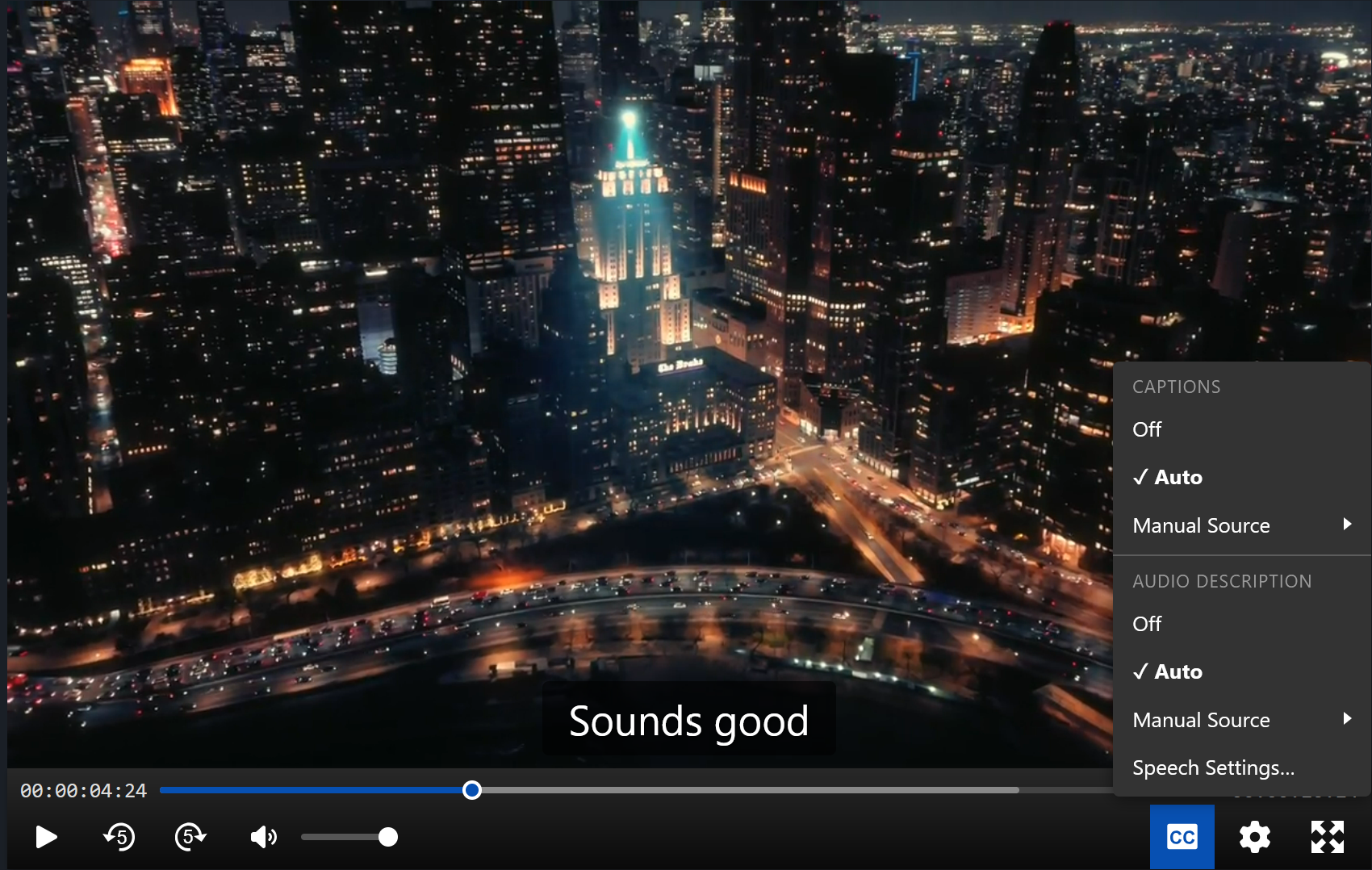
Audio Description
The player can now use different tracks for visual captions and audio description. By default it will use the currently selected track and version on the Transcript tab, but these can be overridden manually in the player. Default tracks can be set for captions and audio description, as well as default versions. If set, the player will use these tracks unless manually overridden.
Cue Types
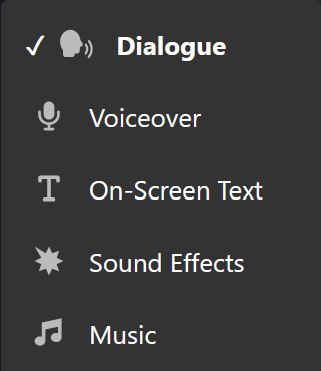
Each cue can be tagged with a type:
- Dialogue
- Voiceover
- On-Screen Text
- Sound Effects
- Music
This feature is optional and does not change how Kollaborate behaves, but it allows you to filter by cue type when viewing or exporting.

Importing / Exporting
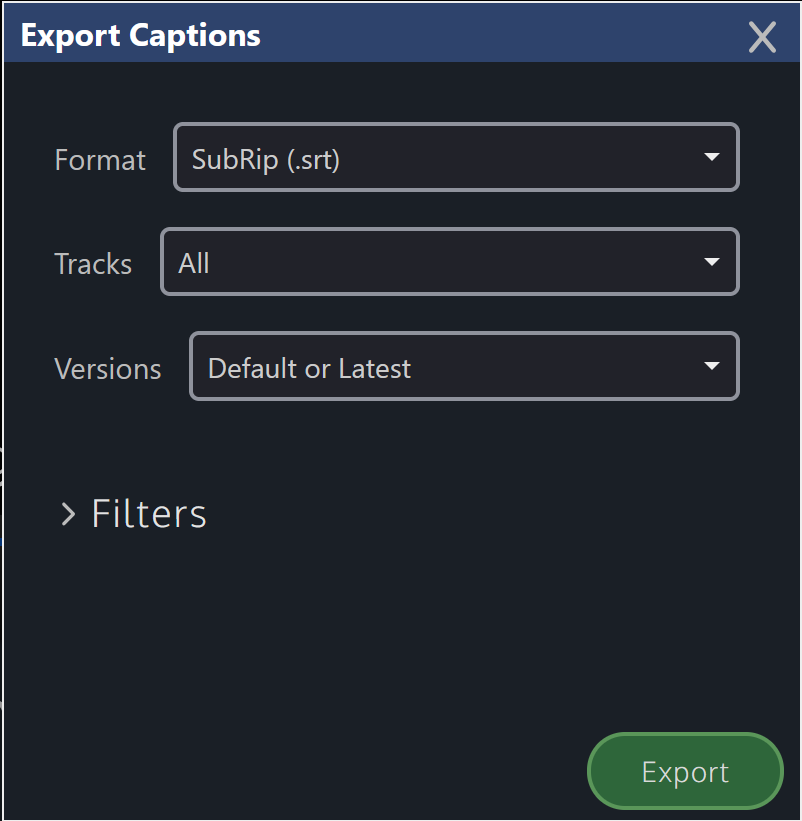
Controls for importing and exporting have moved from the Actions menu to the Transcript tab itself. Importing captions from a file automatically creates a new version with the changes and does not overwrite your existing version.
Kollaborate now has a powerful batch export feature that can export captions from multiple files at once. It gives you a choice between exporting every track and version or just the default / latest tracks or versions.
New permission
We've also introduced a new permission for modifying the transcripts of files you don't own, so you don't need to be an admin or have the "modify others' files" permission set. We've given this permission automatically to anyone who previously had "modify others' files" set, but check permissions if you're unable to modify the transcript. You will always be able to modify it for files you uploaded, irrespective of this permission.
If you have any feedback about the changes, please contact us. We're working on releasing this for self-hosted customers too, and a release will be out soon.
Kollaborate is an essential cloud workflow platform that allows you to share files with clients and team members while integrating with Digital Rebellion apps and services. To find out more, see the overview or register for the free trial.
Posted by Jon Chappell on Nov 6 2026 to
DR News,
Kollaborate,
Front Page News 
 KollaborateCloud platform for pro video
 Pro Maintenance ToolsMaintain, optimize and troubleshoot your editing system
 Pro Media ToolsMedia and workflow management for video pros
 CinePlayProfessional video player
 Post HasteCreate projects from customizable templates
 Preference ManagerTrash, backup, lock and restore preferences for your video apps
 FCS RemoverUninstall Final Cut Studio and FCPX
 Cut Notes
 CinePlay
 Aspect Ratio Matte Generator
 Video Space Calculator